July 14, 2026 by Slint Developers
DRAFT: Your UI on a Real Device, as You Type 
Slint's live preview reloads your UI the moment you edit a .slint file.
On the desktop, that already shrinks the edit-and-look loop to nothing.
But many UIs don't end up on the desktop.
A phone has a different screen size, pixel density, and set of system fonts, and a touch screen instead of a mouse. An emulator gets some of that right and fakes the rest. To know how a layout feels under your thumb, you have to put it on the actual hardware. Until recently, that meant building and deploying an app just to look at a screen.
The remote viewer closes that gap. Run a small viewer app on the device, keep editing on your computer, and the design shows up on the device in your hand, reloading as you type. And it now works on microcontrollers, too.
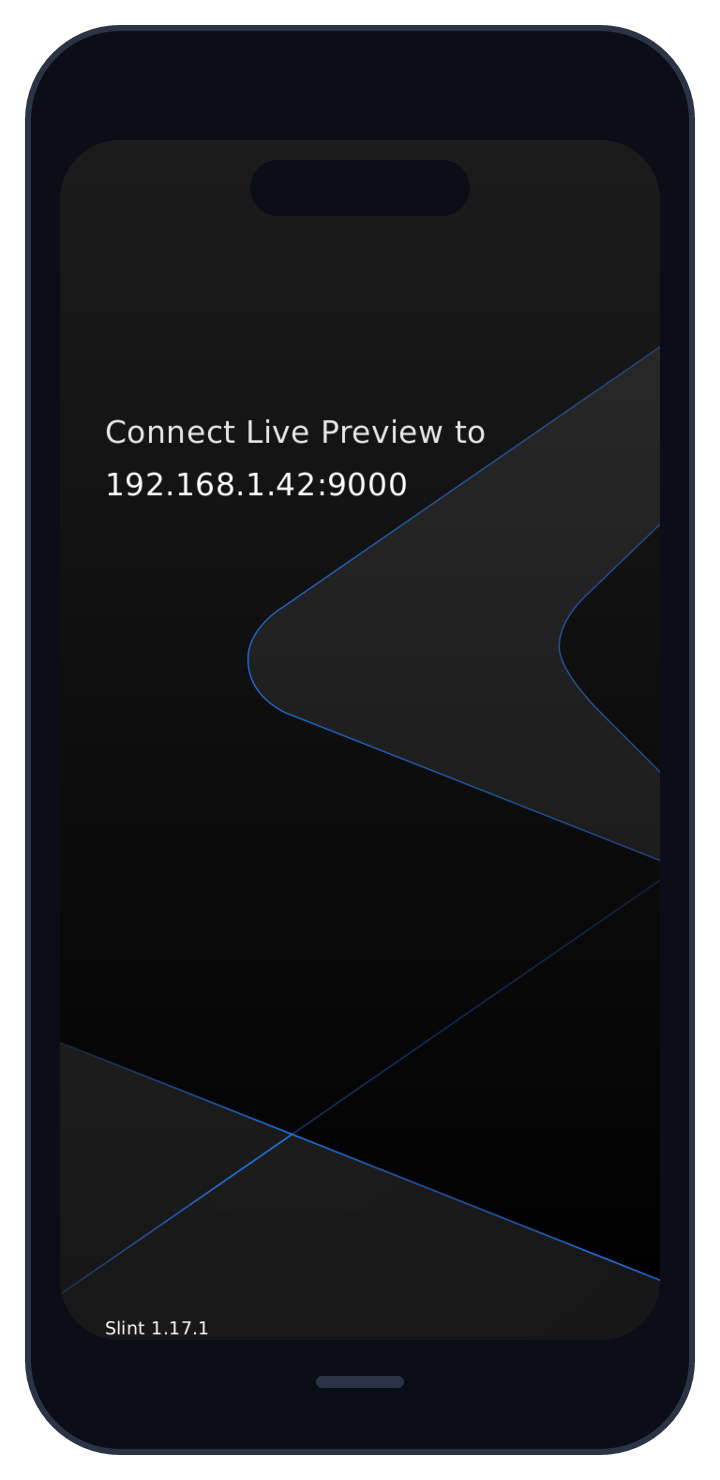
The remote viewer running on a phone, waiting for the editor to connect and showing the address to enter.
How It Works
The remote viewer is the regular slint-viewer, started in remote mode:
slint-viewer --remoteInstead of loading a file, it waits. It shows an idle screen with the device's name and address, and advertises itself on the local network so that editors can find it.
On your computer, open the live preview of a .slint file as usual,
in VS Code or another editor with the Slint extension.
Pick Remote from the combobox in the top-right corner of the preview, and choose the device.
The viewer then shows a code: type it into your editor to pair the two.
From then on, your editor compiles the .slint file and streams the result to the device.
The device renders it with the same Slint runtime your shipped app uses.
What you see is the real thing: real fonts, real density, real touch targets.
Edit the file, and the device updates.
Select an element in your editor, and the device highlights it.
Any debug() output from the running UI travels back to your editor.
Discovery uses mDNS,
the same zero-configuration mechanism behind AirPlay and network printers.
A device on the same Wi-Fi just appears in the list.
If it doesn't, type the host:port that the viewer shows.
Pairing encrypts the connection, so your design doesn't travel over the network in the clear. The viewer only asks for the code once per run. When you put the phone down and pick it back up, it reconnects on its own.
What It's Good For
The obvious use is checking that a layout works on a real screen before you commit to it. A button that looks comfortable on a 27-inch monitor can be a cramped tap target on a phone, and a column that fits on the desktop can overflow on a narrower display. Seeing it on the device is faster than reasoning about it.
It also helps when the device isn't yours. Hand the tablet to a designer or a customer, keep the keyboard, and iterate on the UI while they watch and react. The device only needs the viewer app and a network connection.
The viewer isn't tied to one platform either.
It runs on Android, iOS, iPadOS, and macOS,
and the same --remote mode works between two desktop computers.
See the remote viewer documentation for all the options.
Microcontrollers, Too
Phones aren't the only screens that are hard to preview. If your UI runs on a microcontroller, flashing new firmware for every tweak gets old fast.
So we wrote a viewer firmware for microcontrollers.
Connect the board to your computer over USB, and it shows up in the same Remote list, as USB: ….
Pick it, and your design appears on the board's screen, updating after every edit.
If an edit doesn't compile, the board keeps showing the previous version.
A microcontroller has no room for the Slint compiler. Instead, the language server on your computer compiles the design and renders its fonts and images ahead of time. The board receives the compiled design and only runs it.
The firmware supports the ESP32-S3-BOX-3 and the M5Stack CoreS3. On Linux and macOS, a simulator runs the same firmware in a window on your computer.
The microcontroller viewer landed after Slint 1.19, so it isn't in a release yet.
For now, build the firmware and the language server from the same checkout of the Slint repository.
The mcu-viewer example shows how to flash your board and what's not supported yet.
The Viewer Is a Slint App
The mobile viewer isn't a special build with a native shell around it.
It's slint-viewer itself, compiled for the phone.
Its entire UI, from the idle screen to the pairing code, is written in Slint.
The interface is deliberately small, but it's a real mobile application built end to end with Slint, in the app stores, doing actual work over the network. Slint runs on phones, and the viewer is the proof you can install.
Get it here:
- iOS, iPadOS, and macOS on the App Store.
- Android on Google Play, or as an APK from the latest release.
To build a mobile app of your own with Slint, start with the Android and iOS guides. To see your current design on a real device, install the viewer, open the live preview, and pick your device from the list.
Slint is a Rust-based toolkit for creating reactive and fluent user interfaces across a range of targets, from embedded devices with limited resources to powerful mobile devices and desktop machines. Supporting Android, Windows, Mac, Linux, and bare-metal systems, Slint features an easy-to-learn domain-specific language (DSL) that compiles into native code, optimizing for the target device's capabilities. It facilitates collaboration between designers and developers on shared projects and supports business logic development in Rust, C++, JavaScript, or Python.